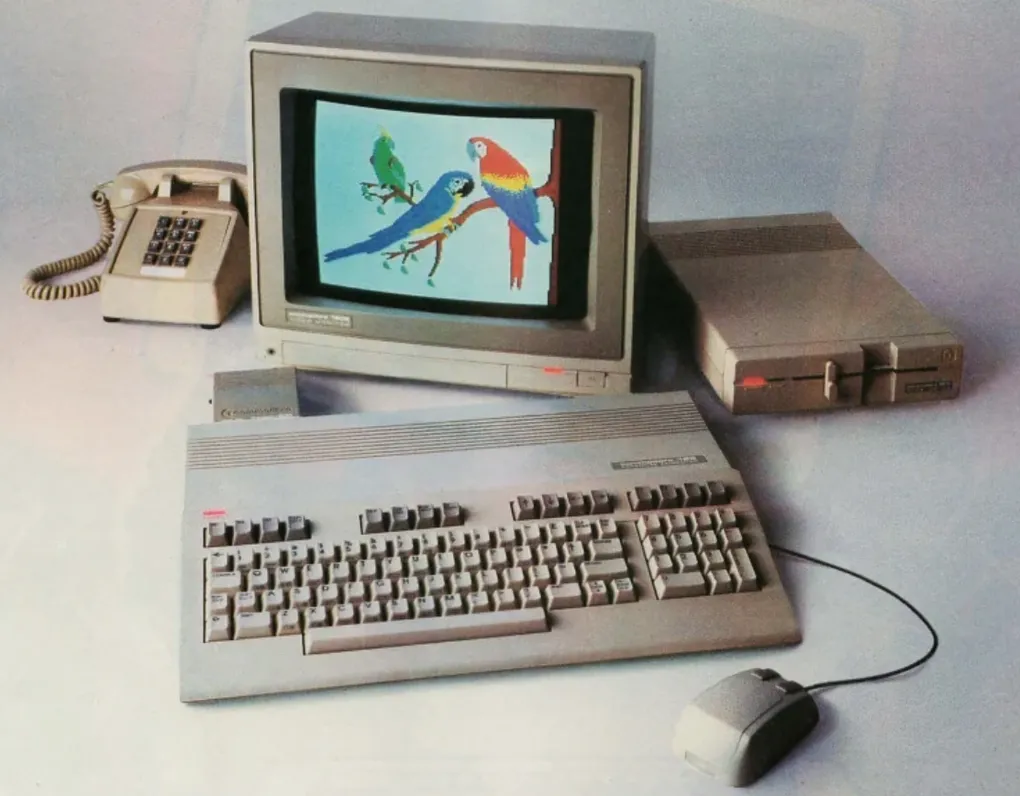
Refurbishing a Commodore 128D
The Commodore 128D is the desktop version of the C128 which came out in January 1985. It came out after the Amiga 1000 and included a 1571-compatible drive and full C64/C128 compatibility in one case. It’s a very capable machine in the 8bit line-up but it’s also pretty rare because most new users were looking at 16 bit machines. This is a live page which I am going to keep updating as I fix and improve things on the C128D.
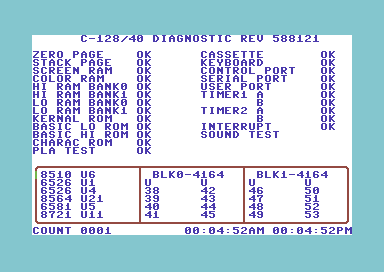
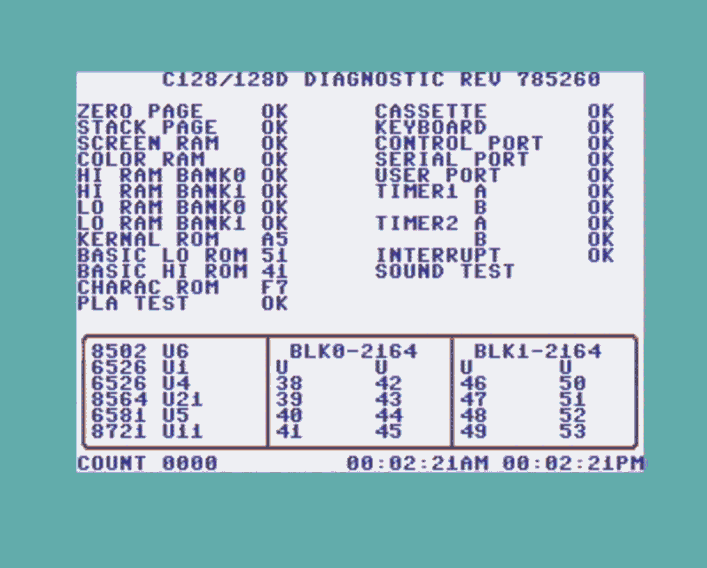
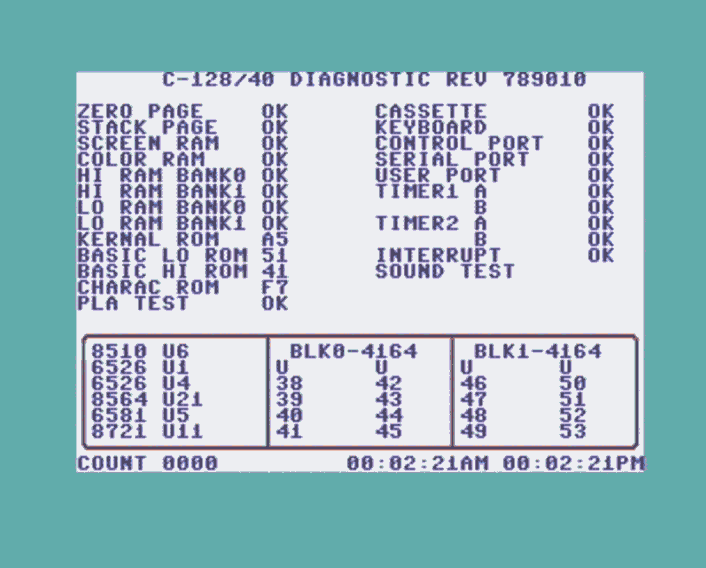
Repair and Diagnostic Cartridges
The following cartridges are what I have used to test and fix the 128D. At various points during upgrades and preventitive maintenance I have had to get debug issues using these cartridges.
128D → 128DR ROMs
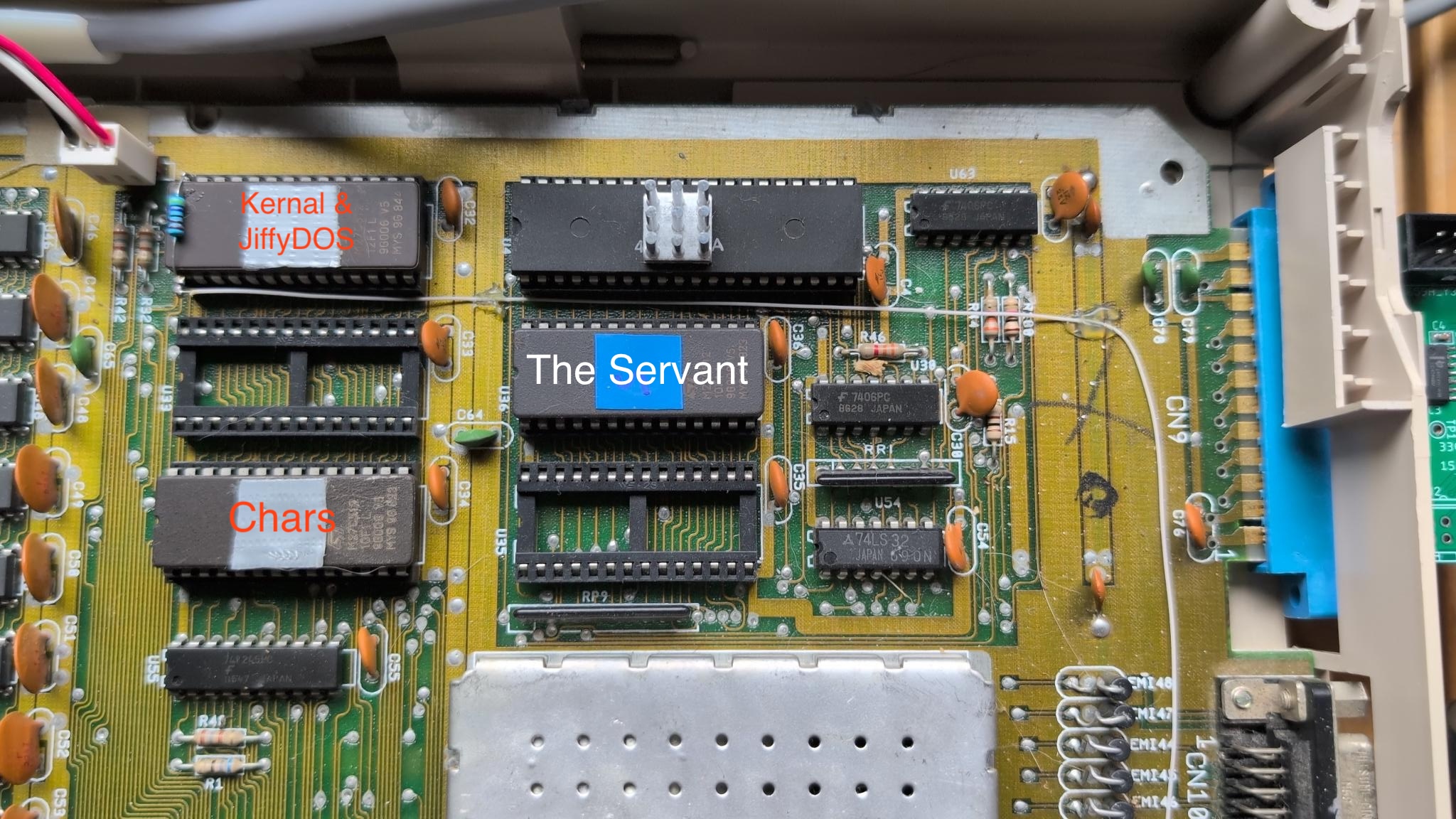
The first upgrade / quality of life change I made was to change from 16KB ROMs to a 64KB ROM with a switch to select the 32KB bank. The photo below shows the EPROM with a pullup resistor and a switch line to the back of the machine to switch between banks.
I replaced the original 128D ROM set with the same ROMs used in the Commodore 128DR (the later, flatter-case model). That gives you the same improved BASIC and KERNAL behavior as the DR, with any bug fixes and refinements Commodore shipped in that revision.
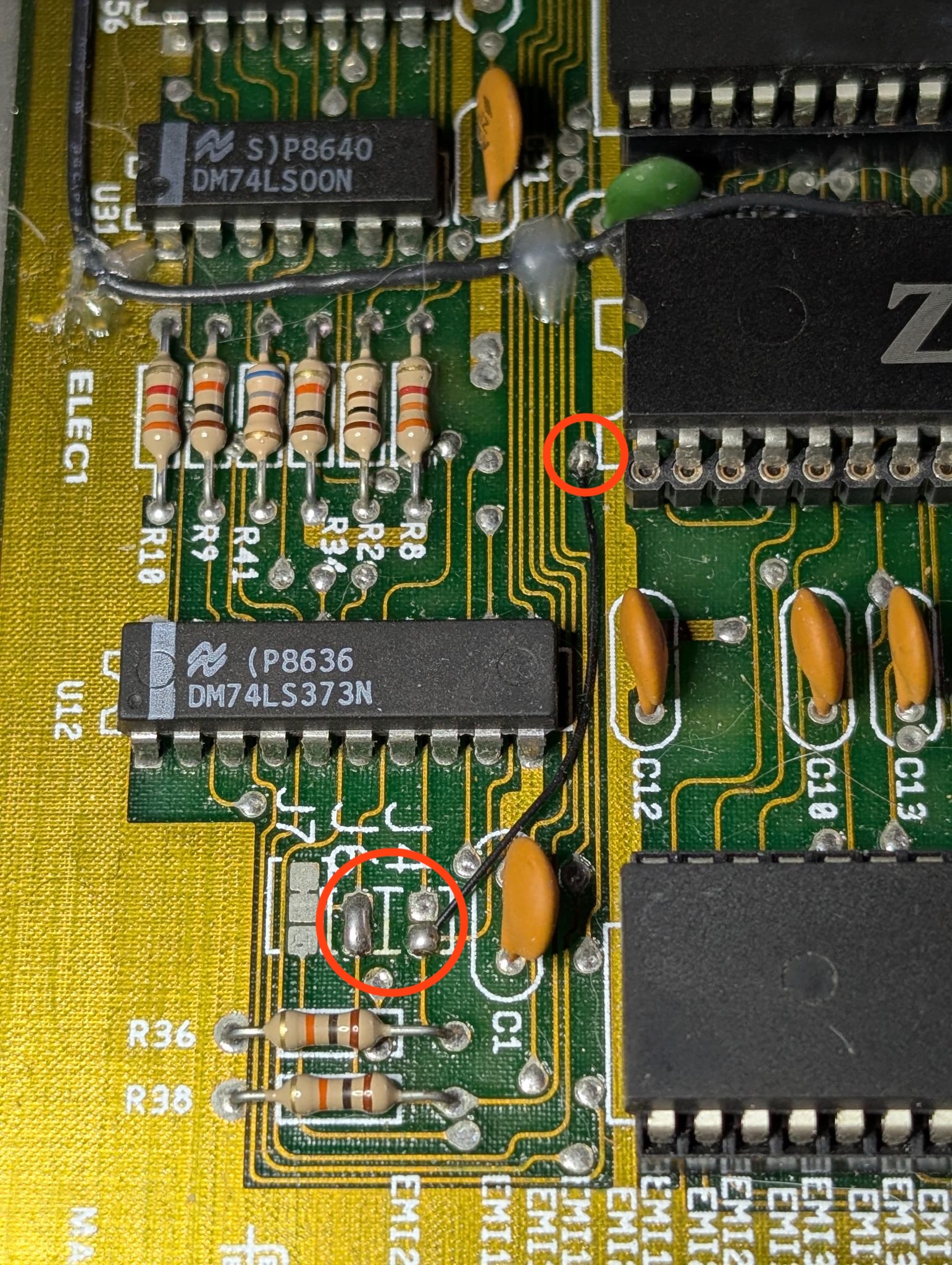
On my board to get this rom configuration working I had to set jumper JP6 and wire JP4 up to a via. This gets around a couple of hardware issues.
The Servant option ROM
The servant rom was flashed onto a M27C512 EPROM and installed in socket U36.
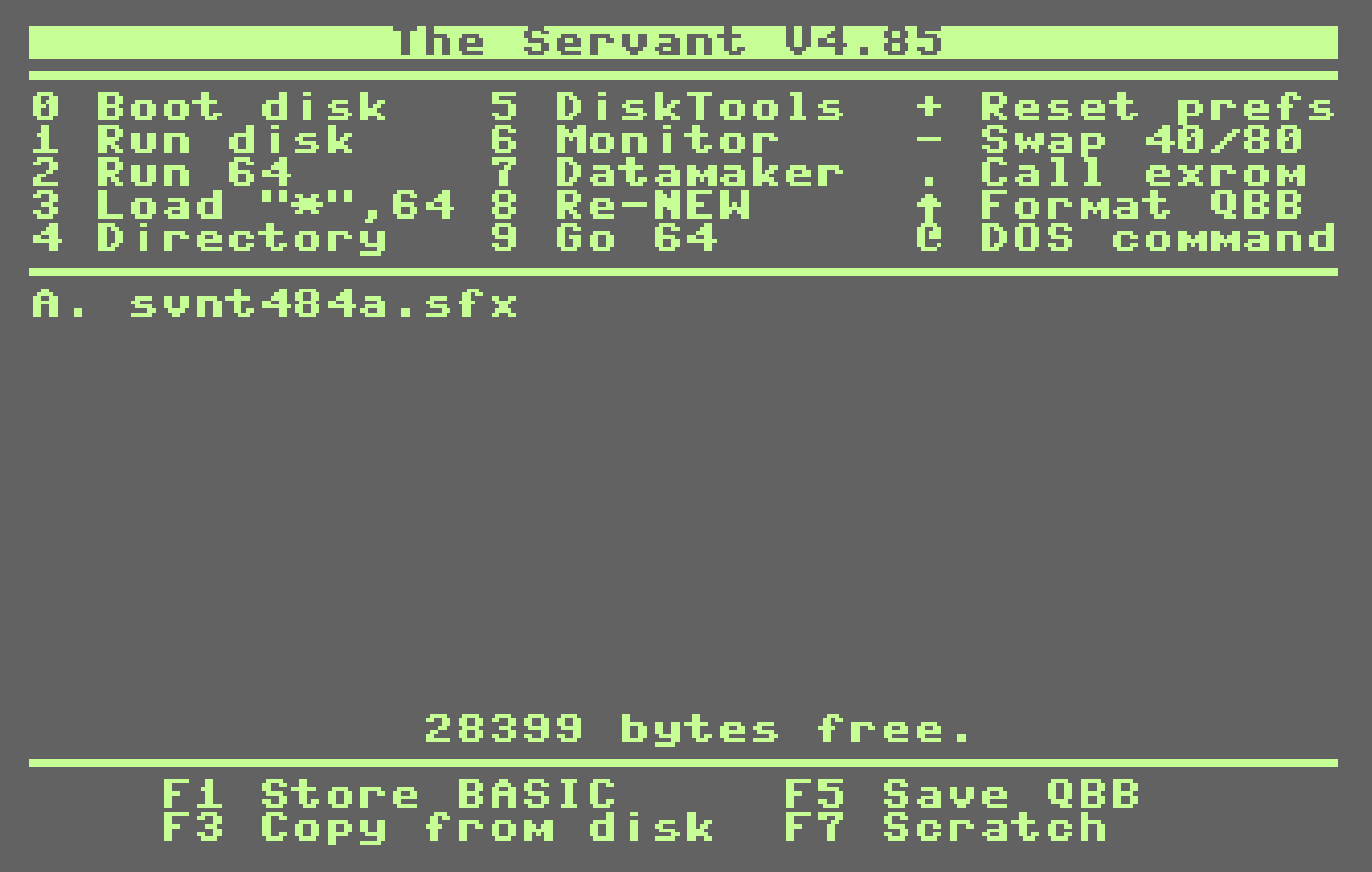
The Servant is a C128 option ROM that provides a permanent startup environment with a power-on menu, fast program launching, enhanced disk and DOS management, and built-in system utilities without using main RAM. It adds an interactive file browser, disk maintenance and copying tools, developer features such as a machine-language monitor, improved boot control, and seamless C64/C128 mode handling, while supporting multiple Commodore drives, RAM expansions, and battery-backed storage for instant loading and improved system persistence across resets.
The ROM image (32 KB) and the manual are available from this site:
Both were sourced from the Zimmers.net C128 firmware archive; you can burn the .bin to an M72C512 or equivalent (32 KB) EPROM for the C128’s function ROM socket (U36) using a TL866 or equivalent programmer.
JiffyDOS ROM
In the consolidated 2-ROM configuration:
- U32 becomes a 64KB EPROM (27C512)
- The lower 32KB contains stock C64 + C128
- The upper 32KB contains JiffyDOS C64 + JiffyDOS C128
- A15 (pin 1) selects which 32KB bank is active
A15 = 0 → Stock
A15 = 1 → JiffyDOS
27C512 image map (64 KB)
Bank 0 (A15 = 0): Stock (lower 32 KB)
- Offset
0x0000–0x1FFF: C64 BASIC (8 KB) - Offset
0x2000–0x3FFF: C64 KERNAL (8 KB) - Offset
0x4000–0x7FFF: C128 KERNAL (16 KB)
Bank 1 (A15 = 1): JiffyDOS (upper 32 KB)
- Offset
0x8000–0x9FFF: C64 BASIC (8 KB) (duplicate) - Offset
0xA000–0xBFFF: JiffyDOS C64 KERNAL (8 KB) - Offset
0xC000–0xFFFF: JiffyDOS C128 KERNAL (16 KB)
Required ROM binaries (and sizes)
You need these binary ROM images, with these exact sizes:
| Function | ROM Filename | Commodore ROM ID | Size |
|---|---|---|---|
| C64 BASIC | basic.901226-01.bin | 901226-01 | 8 KB |
| C64 KERNAL | kernal.901227-03.bin | 901227-03 | 8 KB |
| C128 KERNAL | kernal.318020-05.bin | 318020-05 | 16 KB |
| JiffyDOS C64 | JiffyDOS_C64_6.01.bin | — | 8 KB |
| JiffyDOS C128 | JiffyDOS_C128DCR_6.01.bin | — | 16 KB |
export BASIC="basic.901226-01.bin"export K64="kernal.901227-03.bin"export K128="kernal.318020-05.bin"export JD64="JiffyDOS_C64_6.01.bin"export JD128="JiffyDOS_C128DCR_6.01.bin"
cat $BASIC $K64 $K128 $BASIC $JD64 $JD128 > jiffydos_c128d_set.bin
ARM2SID
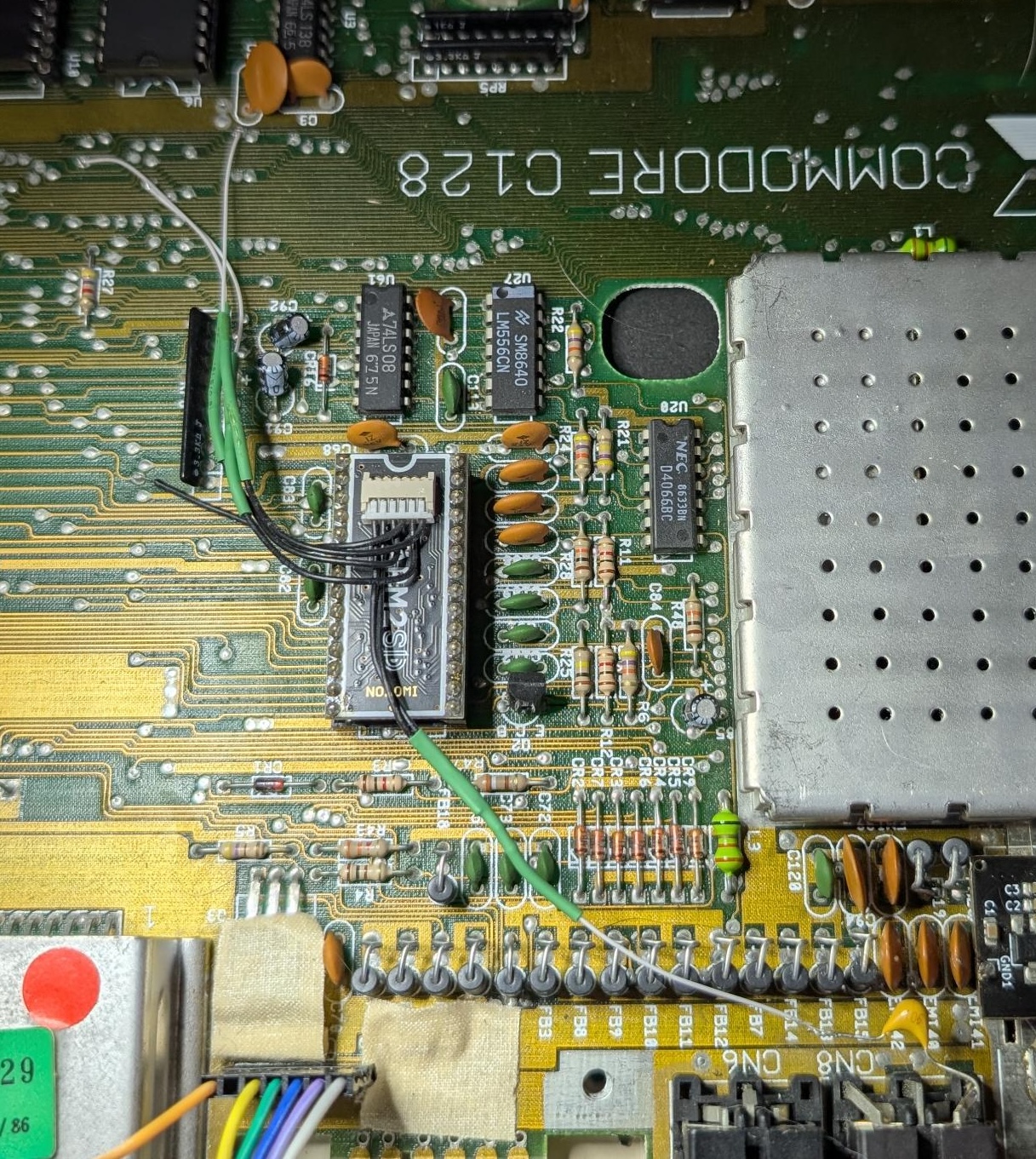
The stock 128D has a single SID chip and mono output. I added an ARM2SID board, which uses an ARM microcontroller to emulate a second SID and mix the two into stereo. You get proper stereo panning and dual-SID tunes without modifying the original SID socket; the ARM2SID feeds a second output to pin 7 on the video connector.
- Where to buy and get firmware updates: ARM2SID
- ARM2SID Firmware 3.15
- ARM2SID Configuration Program
Video connector
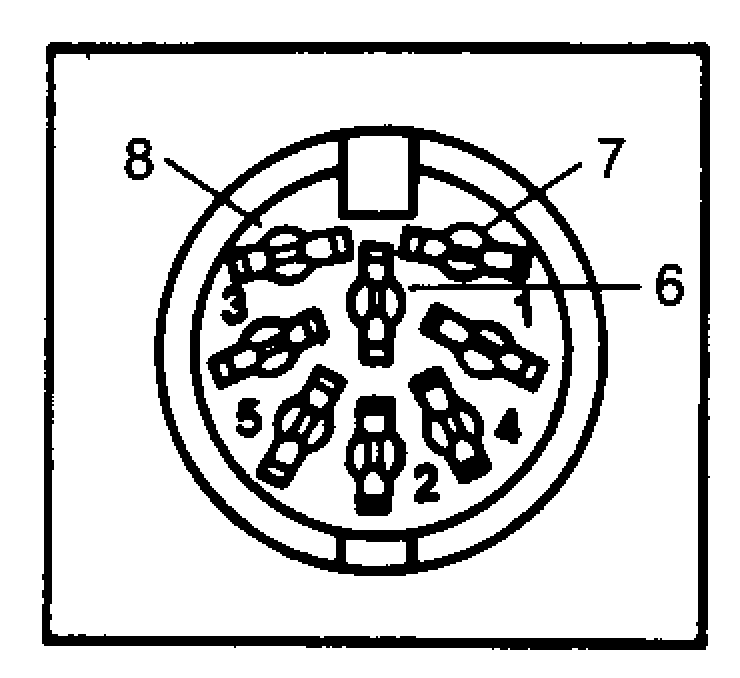
| Pin | Description |
|---|---|
| 1 | Luminance |
| 2 | Ground |
| 3 | Left Audio |
| 4 | Video Out |
| 5 | Audio In |
| 6 | Chrominance |
| 7 | Right Audio |
| 8 | N.C. |
c0pperdragon RF replacement
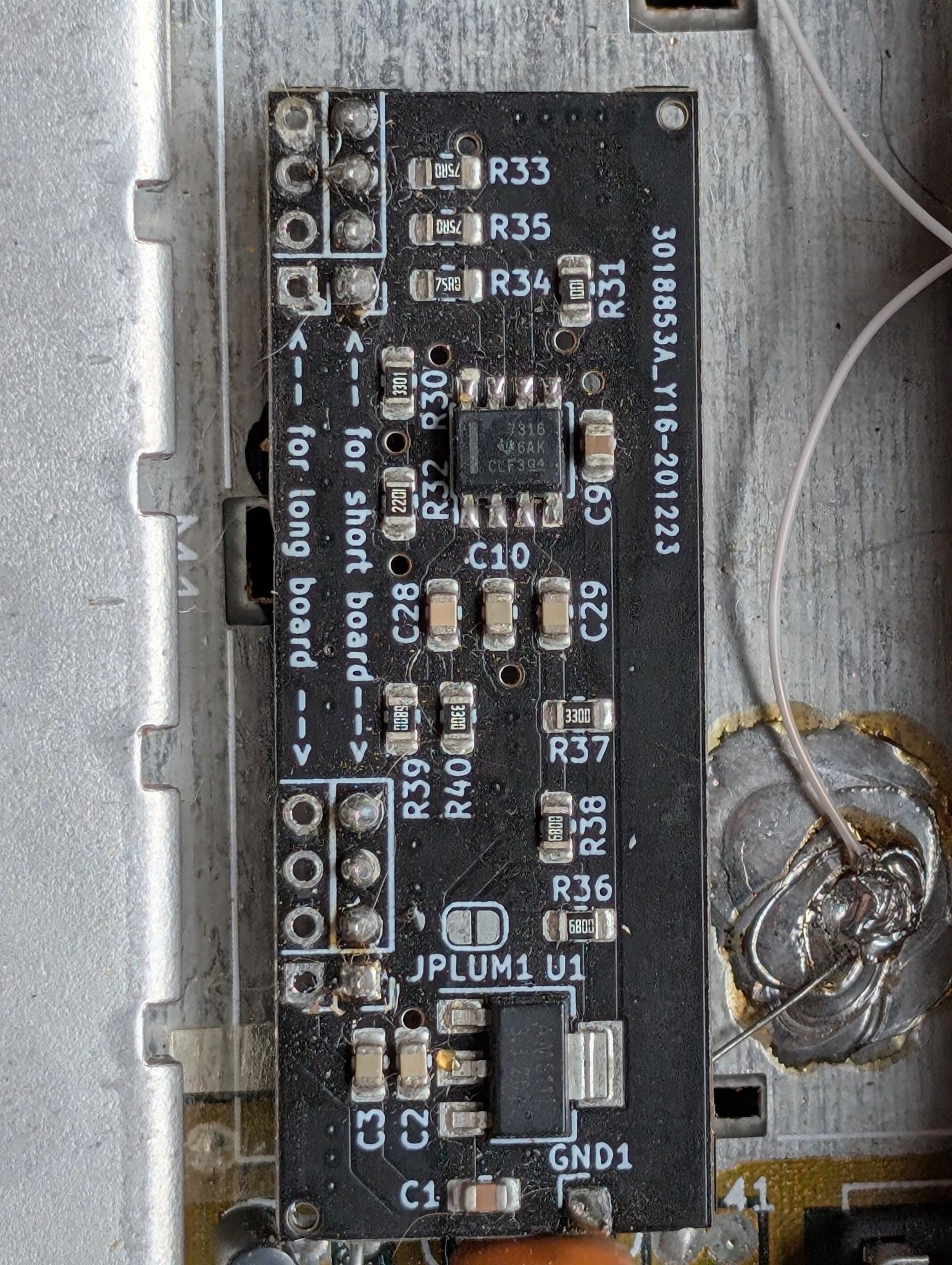
The 128D’s built-in video is composite/s-video through the modulator; fine for CRTs, often noisy on modern displays. I installed the c0pperdragon C64 Video Enhancement board in its analog-only variant: it taps the VIC-II’s digital lines and generates a clean YPbPr (component) signal instead of using the RF modulator’s composite path.
The project is fully open source: C64-Video-Enhancement on GitHub. The analog-only version gives you component video out (e.g. via a TRRS or breakout cable) for a much cleaner picture on LCDs and upscalers, without changing the case if you use the RF-replacement form factor. Highly recommended if you want a sharp, stable image on modern TVs or monitors.
Cooling and reliability
Silent fan in the power supply
The original 128D PSU can run warm and sometimes has a small fan that’s loud or failing. I opened the PSU (only if you’re confident with mains-level work and discharge of the big caps) and replaced the internal fan with a quiet 12 V fan of similar size and flow. The machine now runs cooler with minimal noise, which makes long sessions much more pleasant.
Heatsinks on the main chips
The main ICs—CPU, VIC-II, SID, VDC, and other hot parts—got small adhesive or clip-on heatsinks. Nothing exotic; the goal was to keep temperatures down under load and improve long-term reliability. Easy to do and low risk.
CPU: Faster Z80 for CP/M
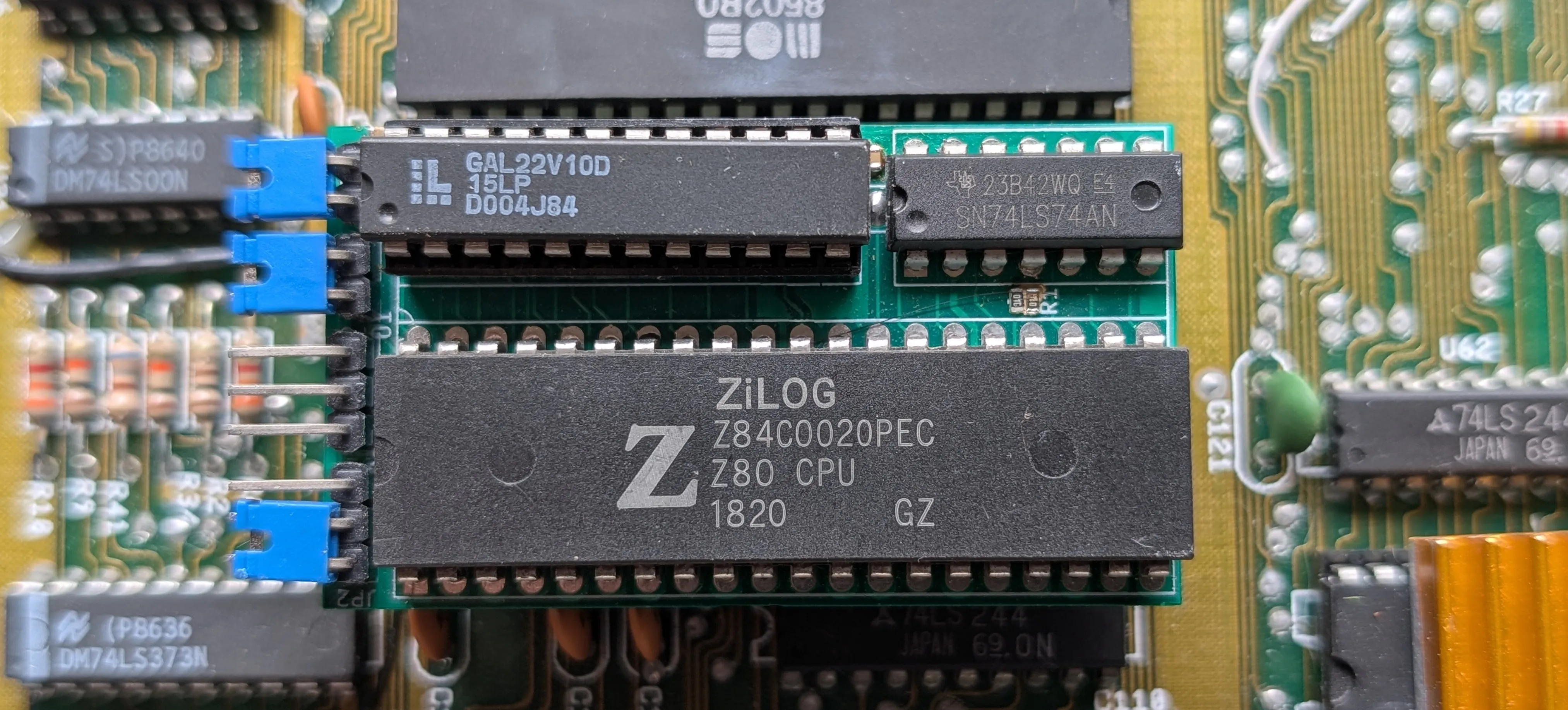
The 128 has a Z80 for CP/M mode. I swapped the original Z80 for a Z84C0020PEC—the CMOS version rated for 20 MHz. Running it at the same clock as the original (or slightly higher if your board supports it) gives you a snappier CP/M experience with lower power and heat. Drop-in replacement on the existing socket.
WIP: This project is a work in progress and hasn’t been tested well. Once it is good I will share the gerbers so people can build their own.
Connectivity
User port: ESP8266 UP9600 Wi‑Fi modem
On the user port I use an ESP8266-based UP9600 “modem.” It emulates a 9600 baud serial modem over Wi‑Fi, so terminal software (and BBSes that support TCP) see a normal serial device. You get telnet, SSH, or custom TCP from the 128 without a real phone line or RS-232 adapter. Great for retro BBSing and general terminal use.
Cartridge port: Kung Fu Flash V1
In the cartridge port I keep a Kung Fu Flash V1. It’s a modern flash cart that can hold many games and demos, acts as a fast loader, and supports different ROM types. Very practical for trying software and for daily use without wearing out original floppies.